Active · 2026 - presentRuns at home only
HomeUI
A custom interface on top of Home Assistant. The flat gets a full overview by room – lights, appliances, energy. My parents get a simple mode: a few large screens, readable type and only what they actually need at home.
- Role
- Design and development
- For
- Our household and my parents
- Type
- Home Assistant add-on, phone and tablet
- Screenshots
- A made-up home with made-up values
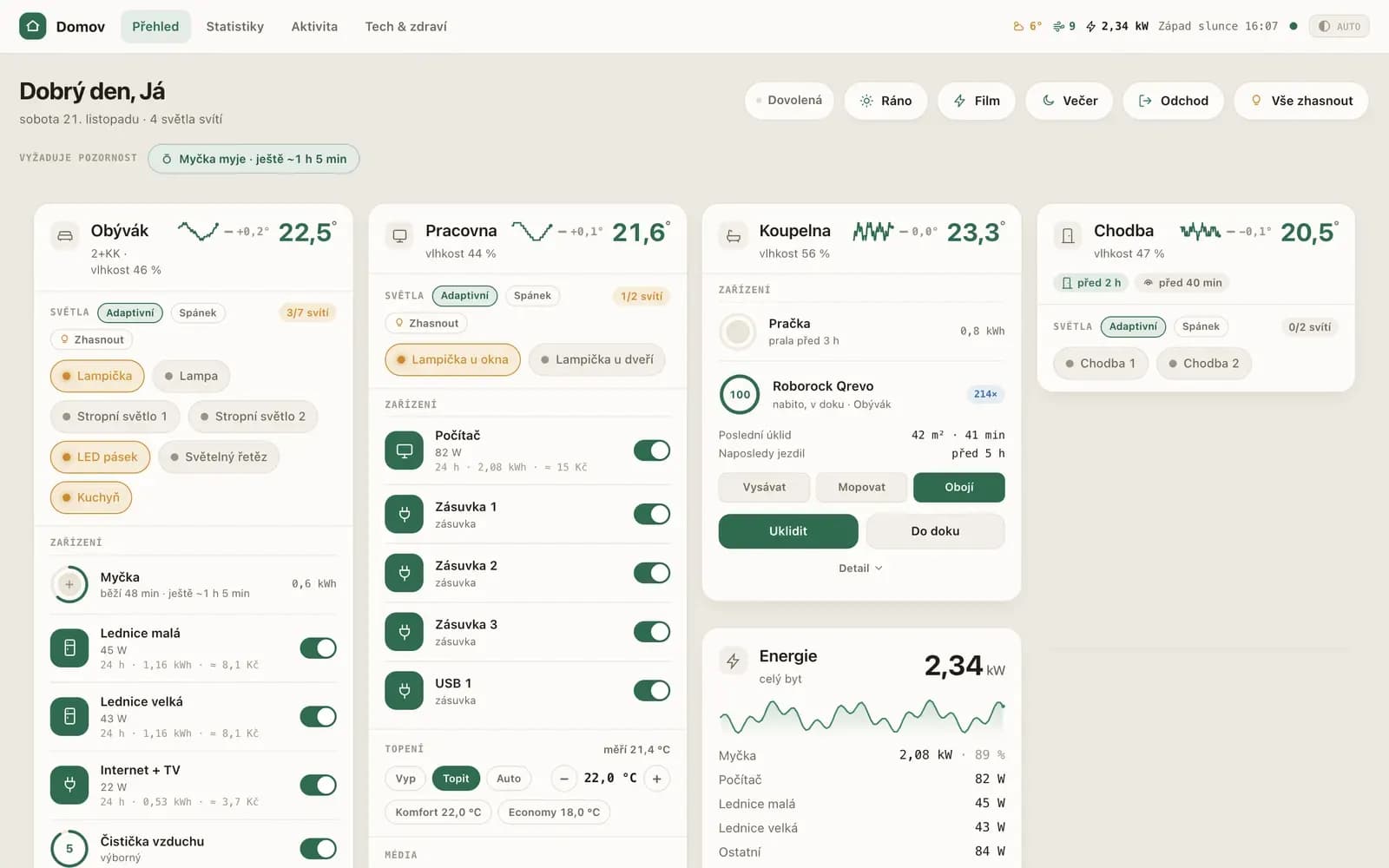
Why
The default Home Assistant interface is powerful, but crowded for everyday use. I wanted a screen that shows at a glance whether everything at home is fine, and where common things take a single tap.
The hard part
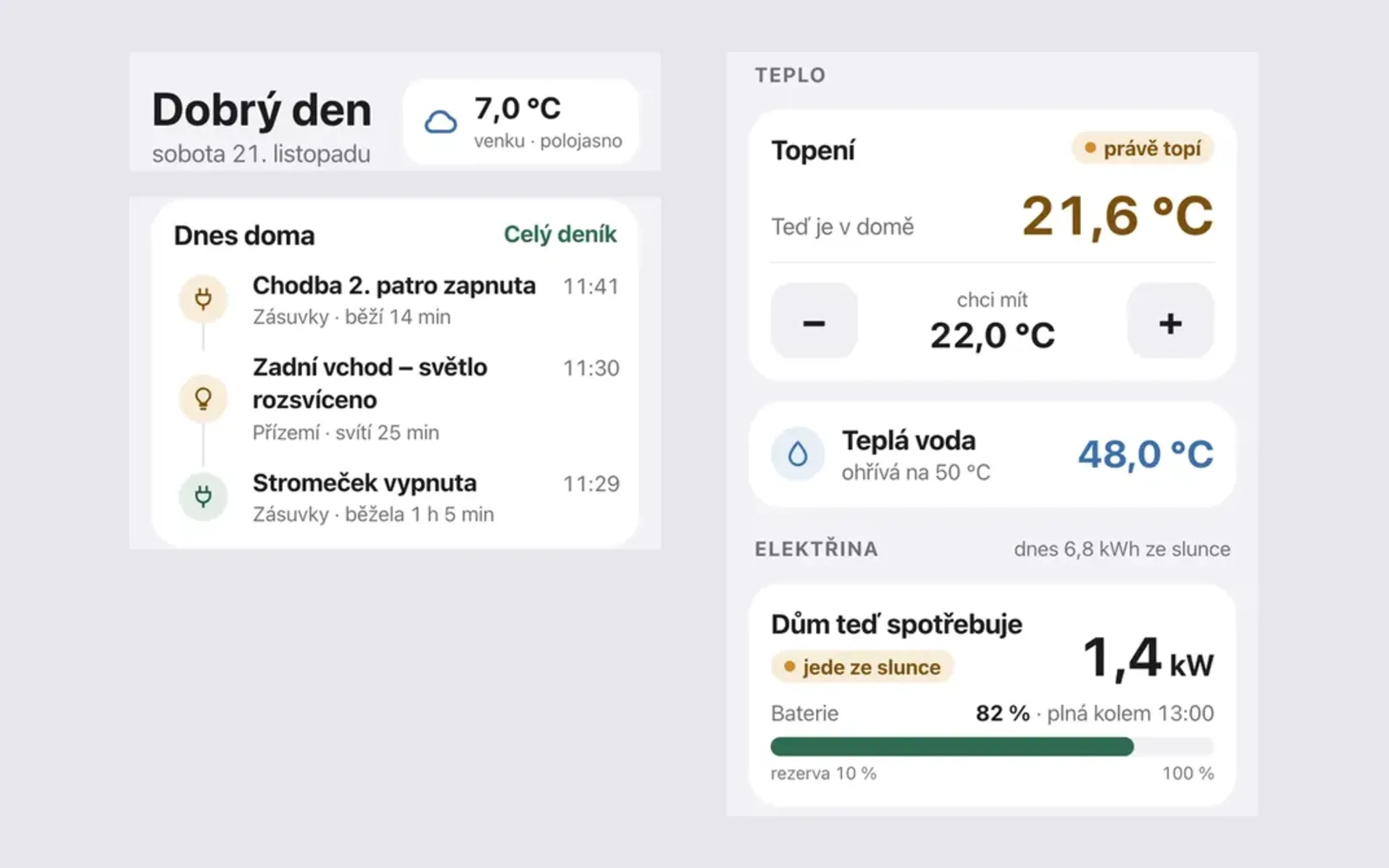
Building two interfaces over the same data: a full one for me and a simple one for my parents. For the simple one, the key was deciding what to leave out – and making sure nothing important can be switched off by accident.
What it does
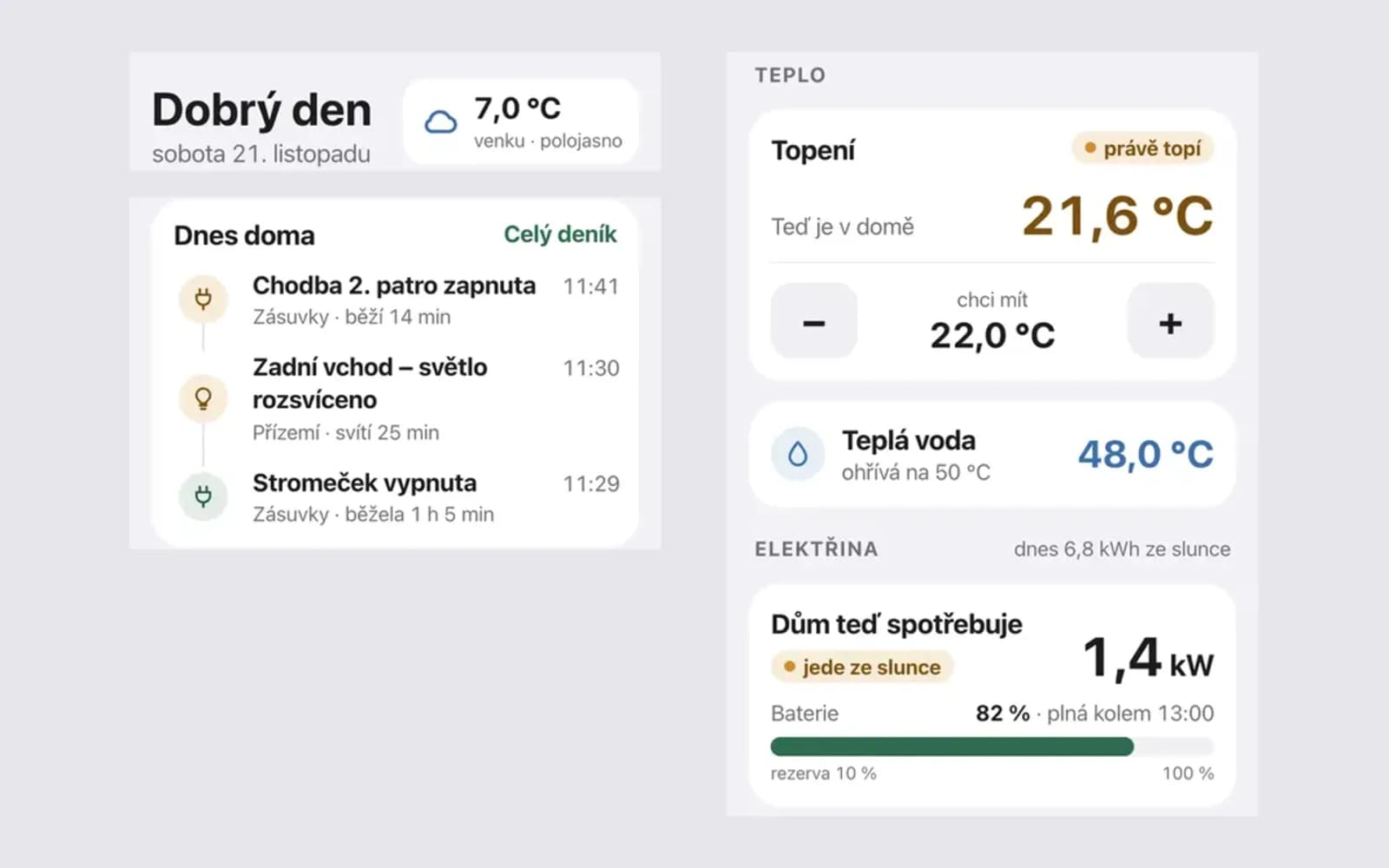
Mode for parents – a few large screens, readable type, finger-sized controls 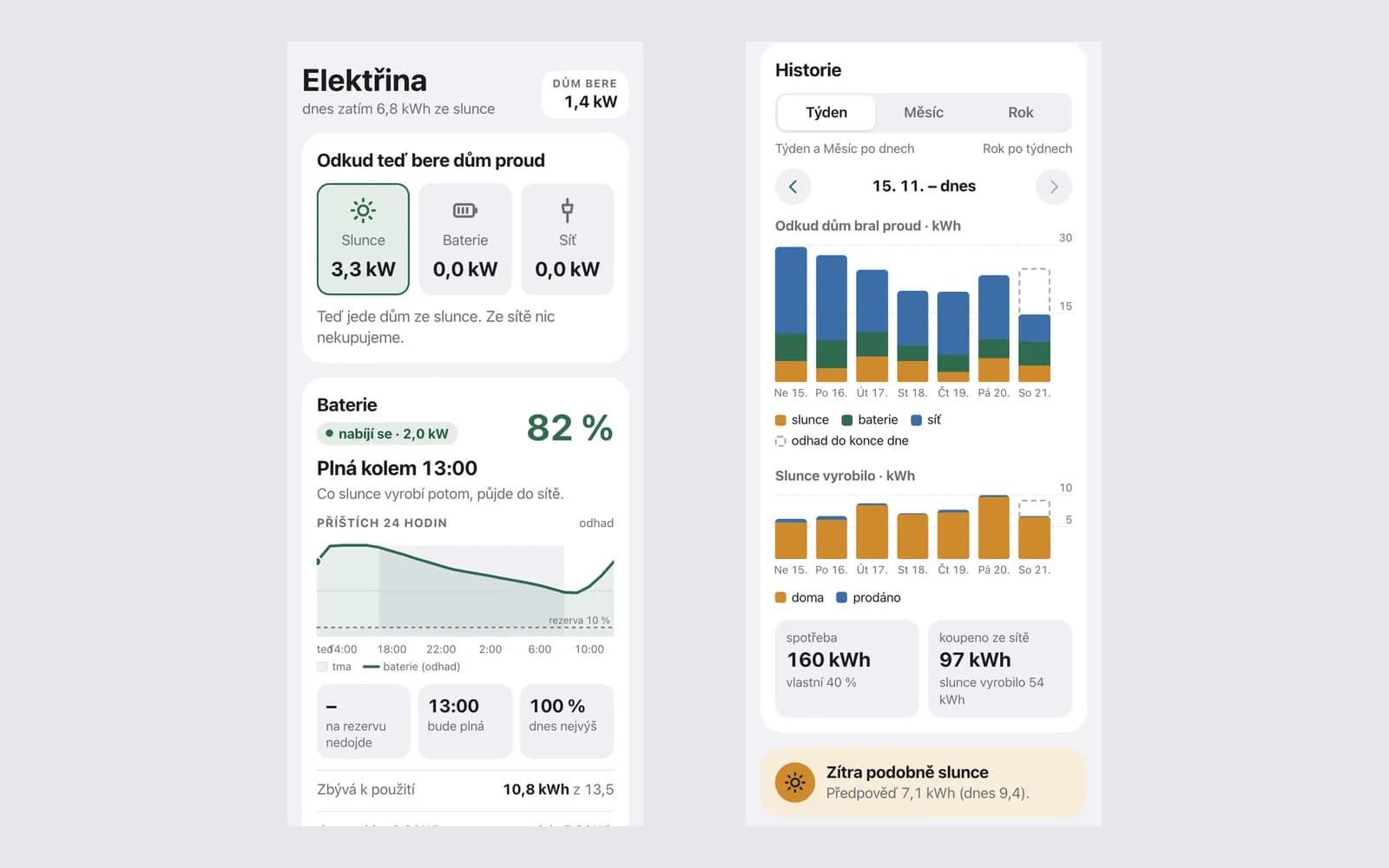
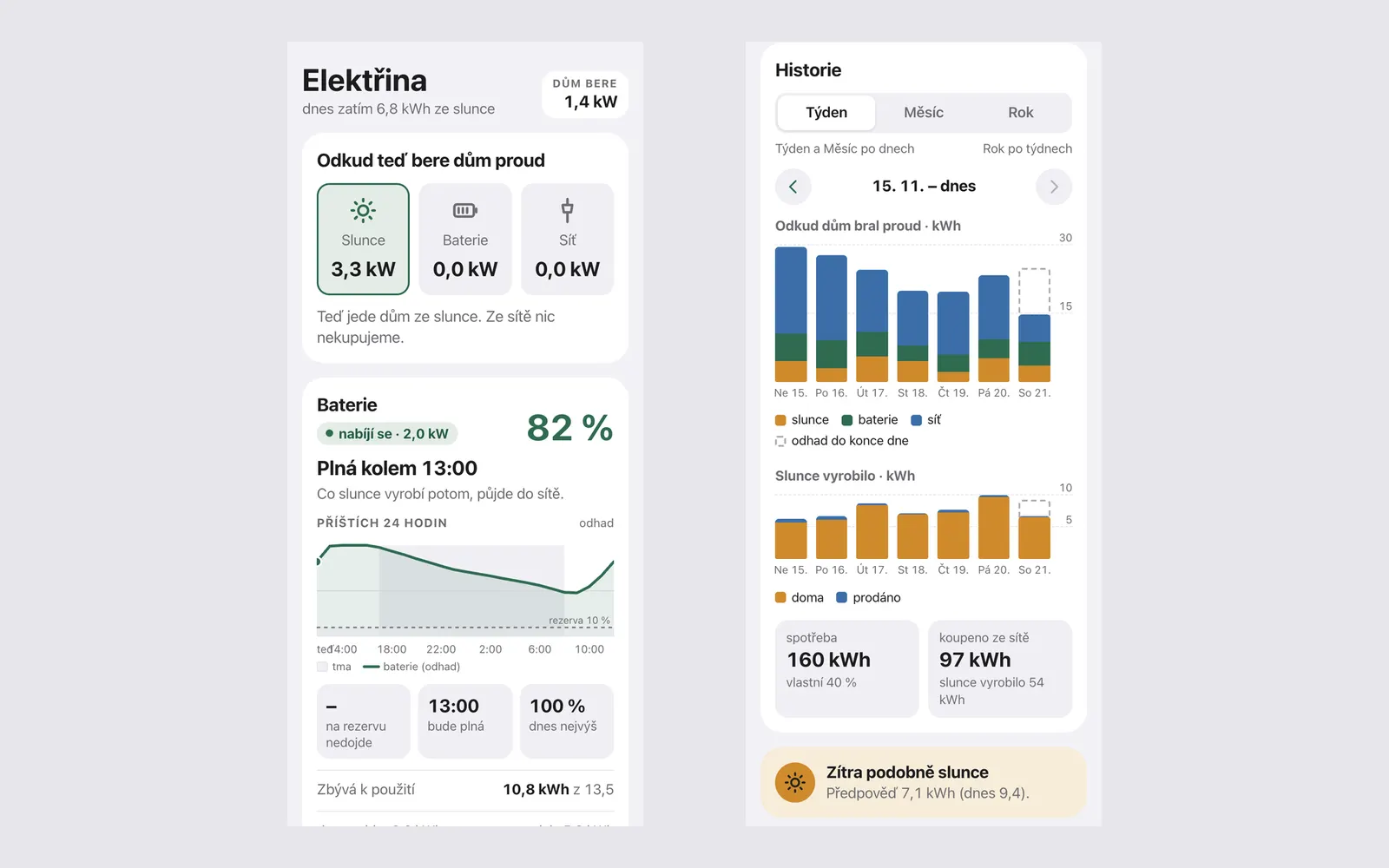
Electricity – where the power comes from, the battery and history by day and week
Built with
- Next.js
- React
- TypeScript
- Home Assistant
What I learned
- The best home control is the one you do not need to open – "all good" is the most important screen.
- For older users, type and touch target size matter more than the number of features.
- Actions that hurt (like switching off the fridge) need a second confirmation.
HomeUI runs at home only, so there is no link.